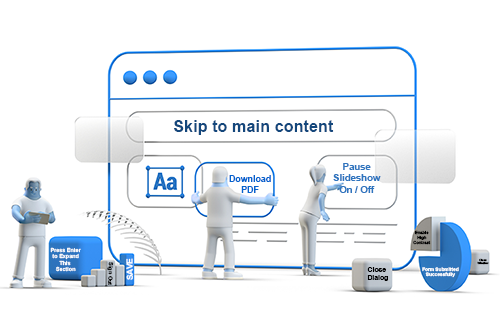
Ableist language isn’t always obvious. It can hide in tone, assumptions, euphemisms, backhanded compliments, pity, or even the microcopy on a simple button label that seemed harmless at first.
Case in point. While building a slide deck for Global Accessibility Awareness Day (GAAD), I sent a draft to a colleague for review, feeling pretty confident in the slides' overall accessibility and the inclusive messaging. A few minutes later, she pointed out that the label on the image of a button used ableist language. The label read View WCAG Guidelines. It has since been changed to Explore WCAG Guideline. The use of the word view assumes that the primary way someone will access information is through sight. That’s the kind of phrasing that can slip by when it has been normalized for years.
It was a humbling reminder that even CPACC-certified professionals like myself can unintentionally fall into ableist language, and that there is always more to learn about language, bias, and the lived experiences of people with disabilities. Sometimes the most valuable accessibility reviews are the ones that make us pause, cringe a little, and do better next time.
Given that cringe is still fresh in my mind, I thought it would be a good time to expand on a blog post I wrote in April of this year titled Accessible Microcopy: Small but Mighty.
In that post, I take a bird’s-eye view of microcopy and how it shapes the user journey on a website. Microcopy guides users with clear, specific labels like Download Report that remove guesswork, sets expectations upfront (such as password requirements) so people aren’t figuring things out mid-task, supports error recovery by offering next steps instead of vague error messages, and builds trust with statements like We won’t sell your data, helping reduce hesitation.
Simply put, microcopy is a handful of words that provide instruction, direction, guidance, and information to website users. And although microcopy is few in number, those fragments and phrases often make the difference between a smooth experience and a frustrating one.
Those fragments and phrases can also be the difference between an inclusive, welcoming experience and a one-size-fits-some experience.
Ableist vs Inclusive: A Table of Comparisons
Because microcopy operates at such a granular level, even small phrasing choices can unintentionally encode assumptions about ability, intelligence, or normal ways of interacting. The difference between a label that guides and a label that excludes can come down to a few words.
Left unexamined, microcopy can be found in familiar defaults, shorthand, and well-worn patterns that may go unquestioned during fast-moving design cycles. That’s what makes it so persistent and so important to address intentionally.
In the table below, some common microcopy is rewritten to be more inclusive. The hope is to illustrate how thoughtful, intentional language choices can shift an experience from judgmental or exclusionary to clear, respectful, and accessible.
The goal is not to sanitize all the personality out of your website, but to avoid language that stigmatizes disability, cognitive differences, mental health conditions, or assistive technology use.
Error States
|
Ableist / Problematic |
Inclusive Rewrite |
Why It Helps |
|
Oops! You broke the page. |
Something went wrong. Please try again. |
Avoids blame / shaming language. |
|
This crazy error occurred. |
An unexpected error occurred. |
Avoids mental health stigmatization. |
|
Invalid input. |
Enter a valid email address, like name@example.com. |
Gives guidance instead of punishment vibes. |
|
You failed verification. |
We couldn’t verify your information. |
Focuses on the system outcome, not the person. |
Form Instructions
|
Ableist / Problematic |
Inclusive Rewrite |
Why It Helps |
|
Simple enough, right? |
Complete the steps below. |
Avoids implying difficulty equals incompetence. |
|
Even your grandma could use this. |
Designed to be easy to use. |
Removes ageist framing tied to usability. |
|
Type normally. |
Use standard formatting. |
The word normally creates exclusionary framing. |
|
Click here if you’re stuck. |
Need help? View support options. |
Avoids framing users as helpless or problematic. |
Authentication & Security
|
Ableist / Problematic |
Inclusive Rewrite |
Why It Helps |
|
You’d be crazy to share your password. |
For security, never share your password. |
Removes mental health language as humor. |
|
Don’t be silly — use a stronger password. |
Choose a password with at least 12 characters. |
Replaces insulting tone with actionable guidance. |
|
Prove you’re not a robot. |
Complete the security check. |
Better for neurodivergent users and clearer overall. |
Empty States and Onboarding
|
Ableist / Problematic |
Inclusive Rewrite |
Why It Helps |
|
Nothing to see here. |
You don’t have any saved items yet. |
More informative and less dismissive. |
|
Get smarter insights. |
Get more detailed insights. |
Avoids intelligence-based value framing. |
|
For power users only. |
Advanced settings. |
Avoids exclusionary identity language. |
Productivity & AI Features
|
Ableist / Problematic |
Inclusive Rewrite |
Why It Helps |
|
Work like a machine. |
Automate repetitive tasks. |
Avoids dehumanizing productivity framing. |
|
Never forget again. |
Set reminders and notifications. |
More supportive and realistic. |
|
Fix your messy writing. |
Improve clarity and readability. |
Avoids judgment-heavy wording. |
|
This tool is idiot-proof. |
This tool is designed to reduce errors. |
Removes derogatory language entirely. |
Accessibility-Specific UI Copy
|
Less Inclusive |
More Inclusive |
Why It Helps |
|
Accessibility mode |
Accessibility settings |
Accessibility should not feel like an alternate experience. |
|
Special accommodations |
Accessibility features |
The word special can unnecessarily segregate disabled users. |
|
Screen reader version |
Compatible with screen readers |
Integrates accessibility into the core experience. |
|
Normal view vs Accessible view |
Standard view and High contrast view |
Avoids framing accessibility as abnormal. |
💡Pro Tip: Inclusive microcopy writing usually avoids:
- Disability terms used as metaphors (blind spot, crippled system, tone deaf).
- Intelligence-based judgment (dumb, idiot-proof, simple-minded).
- Mental health terms being exaggerated (crazy, insane, OCD about details).
- Blame-heavy error language.
- Normal as the default human experience.
Microcopy is often treated as the smallest layer of the user experience, but it has a real impact on how people navigate, interpret, and experience both your website and the organization behind it. The difference between language that assumes and language that guides can reduce cognitive load and remove unnecessary feelings of judgment. When done well, inclusive microcopy supports an experience that communicates respect just as clearly as it communicates function.
Resources
- The Effects of Ableist Language
- Accessible Microcopy: Small but Mighty
- Accessible UX Writing: Crafting Inclusive Microcopy for All Users
A human author creates the DubBlog posts. The AI tools Gemini and ChatGPT are sometimes used to brainstorm subject ideas, generate blog post outlines, and rephrase specific sections of content. Our marketing team carefully reviews all final drafts for accuracy and authenticity. The opinions and perspectives expressed remain the sole responsibility of the human author.