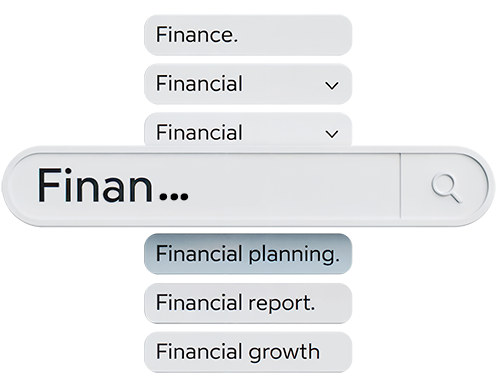
I love autocomplete! It’s one of those tiny internet features that makes my online life so much easier. Especially when I’m logging into a website or app I haven’t visited in months, and my brain has fully deleted whatever username I thought was a good idea at the time. Instead of the whole reset password → check email → create new password cycle, autocomplete just steps in and saves the day. It’s a huge time-saver and completely cuts out any frustration.
That HTML autocomplete attribute is one of those deceptively small accessibility features that improve the website experience for almost everyone. Most people, like me, associate autocomplete with convenience, such as fewer keystrokes and faster form completion. But autocorrect also plays an important role in accessibility. When done correctly, it helps browsers and assistive technologies understand the purpose of a form field and automatically offer users relevant saved information.
For users with cognitive disabilities, autocomplete reduces memory load and decision fatigue. Think about someone with ADHD, dyslexia, or a memory-related disability trying to fill out a long online medical intake form or application. Instead of repeatedly typing addresses, phone numbers, or email fields, the browser suggests the correct information. That reduction of cognitive effort matters. It reduces user frustration from tasks that already require concentration and helps users complete forms with fewer mistakes. Correct autocomplete values benefit users with cognitive disabilities by reducing the need to remember and manually enter information.
This same feature also supports people with mobility disabilities. Someone who navigates with voice control, limited dexterity, or tremors, or who uses an adaptive switch device, may find extensive typing physically exhausting or slow. Autocomplete minimizes repetitive input, reducing the number of interactions needed to complete a form. A checkout experience that takes 10 typed fields suddenly turns into two taps and a confirmation. That is more than an accessible user experience; it’s reduced physical effort and increased independence.
Proper use of the autocomplete attribute also complies with WCAG Success Criterion 1.3.5: Identify Input Purpose, which requires that form fields that collect user information be programmatically identifiable.
I think sometimes we get caught up in the big, visible, news-worthy accessibility changes we can make. But something as simple as autocorrect shows how small, thoughtful defaults can reduce effort, prevent errors, and keep people moving without interruption. When those details are designed well, they don’t just support accessibility; they make experiences faster, less stressful, and more usable for everyone.
Resources
- Accessibility Autocomplete
- autocomplete HTML attribute
- Autocomplete Attributes That Save Time
- How do autocomplete attributes affect web accessibility?
A human author creates the DubBlog posts. The AI tools Gemini and ChatGPT are sometimes used to brainstorm subject ideas, generate blog post outlines, and rephrase specific sections of content. Our marketing team carefully reviews all final drafts for accuracy and authenticity. The opinions and perspectives expressed remain the sole responsibility of the human author.